
Which tests share a group
- Same sender. Faxbeep compares the full sender, not the masked form that the site shows. Two senders that look the same when masked never share a group.
- Similar pages. A new test joins a group only if it looks like each test that is already in the group.
- Upside down is fine. A page that went through the machine upside down still matches.
- Phone and email stay apart. Your fax by phone and your test by email have different senders, so they do not share a group.
- The same email two times gives two tests, and they go in one group.
- Unknown senders. Tests that arrive with the sender “Unknown” can also be grouped by their look. So a group with the sender “Unknown” can hold tests from different machines.
In the grid
A group of two or more tests shows as a stack of sheets in the live grid, with a count such as “3 faxes” or “3 emails”. The top sheet is the newest test of the group. A group of one test shows as a normal card. When a new test of a group arrives while the grid is open, it shows on its own at the top. After a reload, it is in its group.The group page
Click a stack to open its group page. The address has the formhttps://faxbeep.com/faxtest/group/ and a number. The page shows:
- The title “Faxes from” or “Emails from”, and the masked sender. See How the sender shows.
- The count of tests in the group, and the date and time of the newest test.
- A short line that says how many similar tests the group holds.
- The label “Live - updates as faxes arrive” while the page gets live updates.
- A card for each test, newest first, 24 to a page. Each card has a number:
#1is the oldest test, and the newest has the highest number.
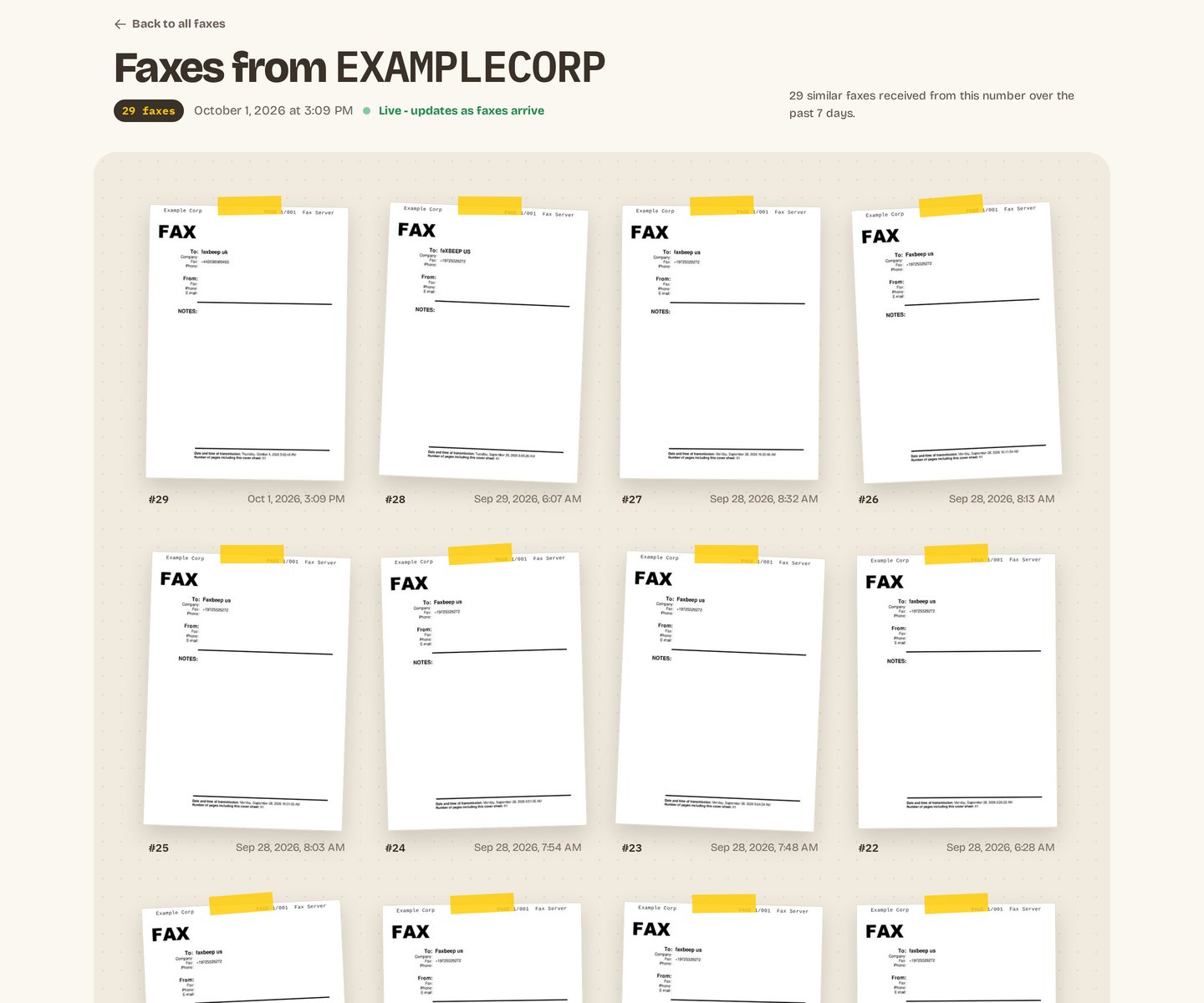
The group page of 29 similar tests from one sender.